

Showing posts with label useful information for Veterans. Show all posts
Showing posts with label useful information for Veterans. Show all posts
Wednesday, January 17, 2024


Thursday, November 30, 2023


Wednesday, November 29, 2023
Mil.Tree Presents - Joshua Tree, CA 92552

VETERANS RETREAT
Weaving our Stories: The Path Home, a veterans retreat, will be held from January 12th-January 14th in Joshua Tree, CA. During the retreat, Veterans, artists, and community elders will combine personal storytelling, myth, and tradition to find common ground. This retreat will be lead by Miguel Rivera, Elder Kim Marcus, Ben Dennis and Delores Mondragon. For more information on our facilitators please go to https://www.mil-tree.org/tapestries-of-transformation
This weekend long retreat will be an intimate and creative time with renown local storyteller Kim Marcus as he shares stories and rituals from the local Serrano and Cahuilla tribes who have called this home for countless generations. During our time together we will craft sacred objects such as a rattle or sacred arrow, as we participate in a variety of creative and meaningful activities. During the weekend retreat, each participant will also be invited to draw from their own life experience and imagination to share their own stories with our group. We will then consider how our individual efforts are connected as part of a larger tapestry; one of community, experience and creativity.
The goal is to hear, see, feel, and embrace the interconnectedness between each of us. We seek to recognize the importance of each story as an integral part of the larger community, and to be recognized by the community. We will then work to combine these efforts to understand our common journey as a people and to honor each individual journey as vital to establishing a shared home in this world.
Tuesday, November 21, 2023
The Retired Soldier Handbook

The Retired Soldier Handbook has been updated for 2024! It has important information for both retired Soldiers and their families in the event of their passing. Update yourself on the information that you need to know.
For more information click here
Wednesday, May 31, 2023

Friday, August 19, 2022
Veteran Approved Network (VAN) Horizontal

Veteran Approved Network (VAN) Horizontal
Greetings Veteran members of the Veteran Approved Network (VAN) Tampa Chapter.
This is Steve Coker, VP Veteran Relations for VAN. I am holding a meeting to discuss events and coordinate a growth plan to bring likeminded community business owners and veterans together.
Our goal is to expand the Network, so that we have enough members to share in our efforts to plan and execute enjoyable events that reach our veteran community and support health and healing, as well as, social activities.
We want to ensure all veterans are well represented. We are moving towards a new approach for veteran relations. One that is inclusive and takes a modern approach to what veterans want and need!
There are so many great organizations that meet the needs of veterans...we are a network that is able to connect the best of what they do and communicate who they are, where they are located and place their events on our calendar and send out the invites to our Network and ensure EVERYONE is aware of the BENEFITS that are available to them.
We are connecting with opportunities for education, entertainment, veteran benefits assistance, sports, healing and social activities to support all veteran needs. We want to connect the heart of our community for goodness sake. And we want you to be a part of bringing Veterans together!
I am sending this email out to all of you for support in the Tampa Bay community. I am requesting your assistance in growing the Network over the next two-three months together. GROWING THE NETWORK THROUGH THE NETWORK!
If you are interested and able to get involved...please reply to this email and I will follow up and send you an email to join us on 30 AUG 22.
In service to our Veterans, Steve Coker LTC (Rtd)
813-466-8555
Stevecoker@TampaVANetwork.com
Monday, April 25, 2022

Friday, April 15, 2022

Monday, October 5, 2020
7 Tips on Successful Interviews for Adults with Disabilities
7 Tips on Successful Interviews for Adults with Disabilities
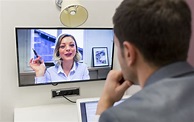
Are you preparing for an upcoming interview?
The interview process for adults with disabilities can make for extra stress. With this, it's essential to prepare and get in as much practice as possible before the big day.
To help, we're sharing seven of the best interview tips for adults with disabilities. With the right preparation, you're well on your way to an interview that is all the more stress-free and successful!
Please click this link https://www.disabledperson.com/blog/posts/7-tips-on-successful-interviews-for-adults-with-disabilities
Monday, September 28, 2020
Free Resume Video

Mission Hire Me in partnership with FourBlock.org is a non-profit service that produces remotely shot professional video introductions to employers for veterans and military spouses to enhance their application profile.
Our service includes mentoring and an interview prep course all at no charge. We have openings for 35 people over the next 60 days.
If you are currently looking for a job and are interested in participating please contact us at contact@missionhireme.com
WWW.MISSIONHIREME.COM
Bill Barnett
926 Ventures
818 789 8399
818 618 1149
Tuesday, August 11, 2020
Veteran Guidance on applying on USAJOBS.GOV
Often Veterans will need some guidance on applying on USAJOBS.GOV, building the personal profile, building a federal resume, and extra tips when applying. Very soon Paul Moore will be putting out a very comprehensive presentation for this and as I tell everyone, he is by far the authority on this and has taught this all over our catchment area to EDD and other vocational stakeholders.
Below you will find the details regarding how to set up a USAJOBS.GOV profile, build your resume (building it takes much more time and detail but will get much more positive results, I use this myself). I encourage Veterans to begin with this, take their time so it is not overwhelming.
Veterans should first watch some short introductory USAJOBS official videos below, to get the main idea, so that when they begin building the resume and applying they will be more knowledgeable and confident. Sort of like reading the instructions on assembling something before you actually assemble it.
First, creating a USAJOBS Account
USAjobs.gov: Creating Your Account Profile https://www.youtube.com/watch?v=3uDp74z0tZY
Brief USAJOBS Resume Tutorial
https://www.youtube.com/watch?v=8YX7o1PBoFk
Five minute video below: How to Apply for Federal Jobs
https://www.youtube.com/watch?v=Gih8-cwTCQU
Next is the step by step process for building a resume in USAJOBS, I also attached this as a document in case it is easier to read, and so you can save it, print it etc. Also attached are tips as to what to include in the federal resume.
How to build a resume in USAJOBS, the attached document of this is easier to read and navigate, with active links:
Sign into USAJOBS.
Go to your Documents.
Make sure you’re in the Resumes section and select the Upload or build resume button.
Click Build resume.
Name your new resume and click Next.
Click Add Work Experience, enter the required information and click Save Work Experience. To add additional work experience repeat this step or click Next to continue with your education information.
Click Add Education, enter the required information and click Save Education. Repeat this step to add additional education or click Next to continue with your references. You may also click Finish if you don’t want to add more information.
Click Add Reference, enter the required information and click Save Reference. You may add up to five references on your resume. Repeat this step to add an additional reference or click Next to continue to the next step.
You can enter additional information on your resume such as job related training, language skills, organizations/affiliations, professional publications, and other information.
Click the corresponding button under each section to add your information, enter your information and click Add or Save for each section once completed.
Click Finish to save your resume. Your new resume will appear in your Documents list.
Click View on the resume icon to preview your resume. To edit your resume click Edit on the resume icon and it will bring you to the first page of your resume in the resume builder tool.
Save your work periodically
For security reasons, your session will time out after a period of inactivity. We recommend you Save periodically so that you do not lose any work.
Updating your resume
In order to capture changes that you have made to your profile you will need to build a new resume. USAJOBS does not automatically update existing resumes. This allows you to easily keep a set of resumes to apply to different jobs and only apply changes when you desire.
Tips for formatting resumes in USAJOBS resume builder You can copy and paste text from Word documents into the resume builder. However, some formatting in these documents may not work in the USAJOBS resume builder. To fix formatting errors inside your resume, you must first save the original file in a .txt format.
To copy and paste from Word:
Open up your Word document or other word processing tool.
Select the File tab at the top.
Go to the Save As option.
Choose to save it as a Plain Text (.txt) file.
Open the new file and ensure the text appears in an acceptable format.
Copy and paste your resume text into the resume builder.
To edit your USAJOBS resume-builder resume:
Click on your username at the top of the page and select Documents from the menu.
Find the resume you want to edit and click “Edit” (located below the resume).
This will bring you to the first page of your resume.
Tips for submitting resumes to agencies
Some agencies accept uploaded resumes and resumes created using the USAJOBS resume builder, while some may only accept one or the other. Even though you may have both types of resumes in the Document section of your profile, the agency determines which ones to accept when you are applying online. The Apply button displayed on the job announcement page activates the process for a job seeker to complete an application.
USAJOBS automatically provides a list of available resumes and other documents to attach to your application, and will only display resumes and documents the hiring agency is willing to accept. For example, if the hiring agency only accepts resumes created using the USAJOBS resume builder, then your uploaded resumes will not be available to add to your application. Please pay special attention to the How to Apply section of the job announcement to find out which resume format and documents are accepted and how to submit them to the hiring agency.
Any questions feel free to contactme.
Barry Davis
Coordinator, Community Employment Services Vocational
Development Specialist
(909) 825-7084 ext. 4933 Pager 7324
VA Loma Linda Health Care System
11201 Benton Street
Loma Linda, CA 92357
Excellence is relentless

Subscribe to:
Posts (Atom)